
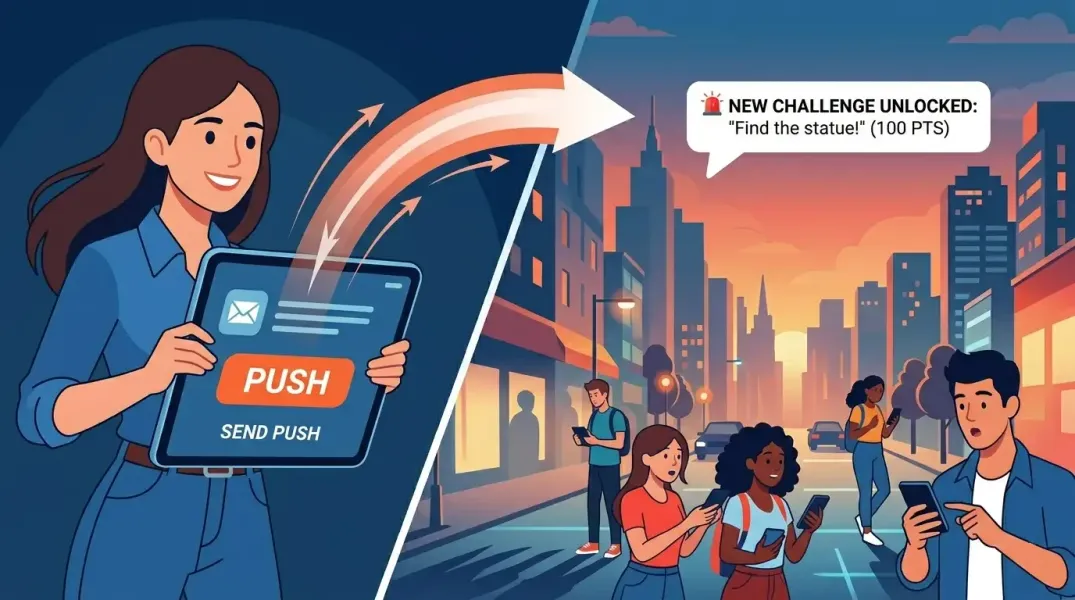
Keeping players informed and engaged during a scavenger hunt event just got a whole lot easier. Starting today, event organizers can send push notifications to every player who has joined their event, directly from the Thrillify Backstage portal.
Why Push Notifications?
Running a great hunt means more than designing good challenges. It also means communicating with your players at the right moments.
With push notifications built into Thrillify, you can reach every player at any time to keep them engaged throughout the scavenger hunt.
How It Works
The new Notifications tab in Backstage gives you a simple form to compose and send push notifications:
- Title: A short headline (up to 50 characters) that grabs attention.
- Message: The body of your notification (up to 200 characters). Keep it concise for maximum impact.
- Link to Challenge (optional): Select a specific challenge, and when a player taps the notification, the app opens directly to that challenge.
- Send At (optional): Schedule the notification for a future date and time, or leave empty to send immediately.
Once you hit Send, the notification is queued and delivered to all players in the event. Immediate notifications go out within minutes. Scheduled notifications are sent automatically at the time you chose.
Deep Link to Challenges
One of the most powerful aspects of this feature is the ability to link a notification to a specific challenge. This is perfect for:
- Drawing attention to a newly added challenge
- Reminding players about a time-limited challenge that’s about to close
- Encouraging more submissions on a challenge that needs a boost
When a player taps a linked notification, they’re taken straight to the challenge in the app. No searching or scrolling required.
Schedule Notifications in Advance
Not every important moment happens while you’re at your computer. With scheduled notifications, you can plan your communications ahead of time and let Thrillify handle the delivery.
Use the Send At field to pick a future date and time. The notification will be sent automatically when that time arrives, based on your event’s timezone. This is great for:
- Sending a morning reminder before a big challenge window opens
- Timing an announcement to land right when a scheduled challenge goes live
- Planning your entire communication schedule before the event even starts
All scheduled notifications appear in the Notifications table so you can see what’s queued up and when.
Best Practices
Here are a few tips to make the most of push notifications:
- Be timely. Send notifications during active event hours for the best engagement.
- Schedule ahead. Plan your key announcements before the event starts so nothing gets missed.
- Keep it brief. Short, punchy messages perform better than long ones.
- Don’t overdo it. A few well-timed notifications are more effective than a flood of messages. Too many can lead players to mute them.
- Use challenge links. Linking to a challenge increases the chance players will take action immediately.
What About Scheduled Challenge Reminders?
Players already receive offline notifications when scheduled challenges are about to start. Those reminders are handled by the app and don’t require internet access or any action from organizers.
Push notifications are a separate, organizer-driven tool for custom announcements and updates that go beyond the regular challenge schedule.
Get Started
The Notifications tab is available now in Thrillify Backstage for all events. Head to your event, open the Notifications tab, and schedule your first push notification.
For a step-by-step guide, check out our support article: How do I send push notifications to players?