

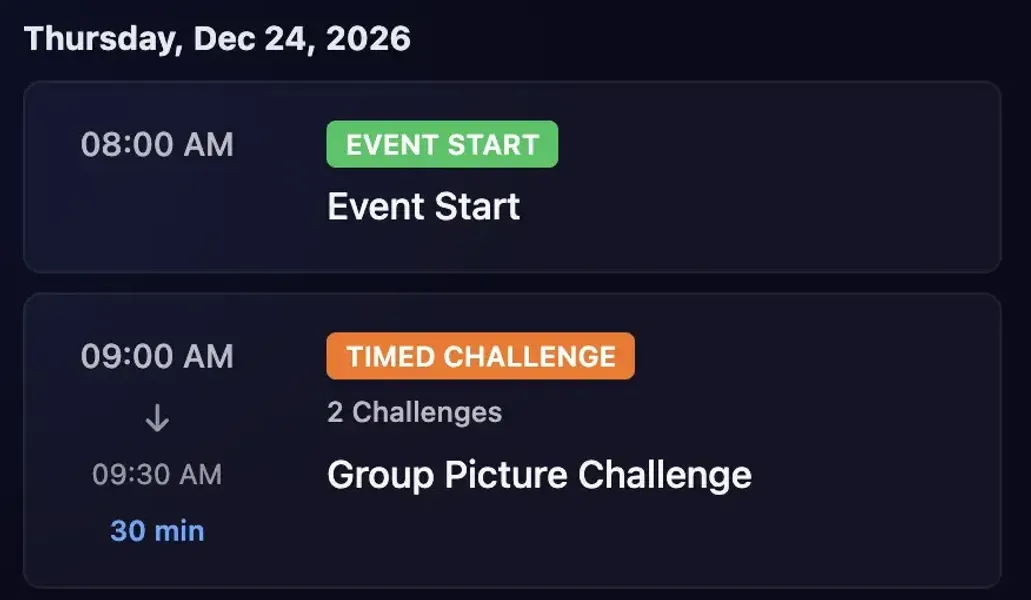
Great events feel intentional. The right challenge appears at the right time, momentum builds naturally, and participants stay curious about what is coming next.
Today we are rolling out two new ways to control challenge pacing in Thrillify, while also building on existing timed challenge capabilities. You can shape your event flow with three complementary tools:
- Scheduled Challenge Unlocks for unlocking challenges at specific times
- Timed Challenges to give players a limited window to complete a set of challenges in a specific order
- Disabled Challenges for preloading hidden challenges and releasing it manually when you want
Reveal Challenges at Specific Times
Use Scheduled Challenge Unlocks when you want a challenge (or set of challenges) to appear at an exact time and remain available afterward.
This is useful when you want to:
- Pace content across the day without extra admin work
- Align challenge releases with announcements, sessions, or location changes
- Keep participants focused on the current phase of your event
Once the unlock time hits, participants see the newly revealed challenges in the app and can complete them like normal.
Create Urgency with Timed Windows
Timed Challenges are an existing Thrillify feature that remain a key part of event pacing.
Use Timed Challenges when you want challenges to be completed only within a defined time window.
Timed windows are ideal for moments where urgency matters:
- Flash rounds and bonus scoring windows
- Sprint-style activities between sessions
- Live moments that should happen together, in real time
Participants can see upcoming timed challenges, jump in when they go live, and complete them before the window closes.
Preload and Manually Reveal with Disabled Challenges
Sometimes you want full control in the moment. You can now pre-add challenges and set them to Disabled so they stay hidden from participants in the app.
When you are ready, switch a challenge back to Enabled and it will appear as a new challenge right then.
This gives admins a reliable manual release option for:
- Surprise moments
- Backup plans if event timing shifts
- On-the-fly adjustments based on participant energy
Use Them Together for Better Event Pacing
These features are designed to work together, not in isolation.
A common flow might look like this:
- Preload all challenge ideas in advance.
- Schedule core unlocks for your expected timeline.
- Add one or two timed windows for high-energy moments.
- Keep a few disabled challenges in reserve to release manually if needed.
The result is a challenge feed that feels dynamic and intentional without requiring constant last-minute setup.
Get Started
These challenge flow controls are available now in Thrillify Backstage.
To learn how to set up scheduled unlocks and timed windows, read: Create a schedule with timed challenges and unlocks.
For guidance on adding and releasing challenges during an active event, read: How do I add a new challenge during the event?.